
THE CINEMASTERY JOURNAL
iPhone 17 Pro Modular Cinema Rigs: The Complete 2026 Setup Guide
17 June 2026 · 19 min read
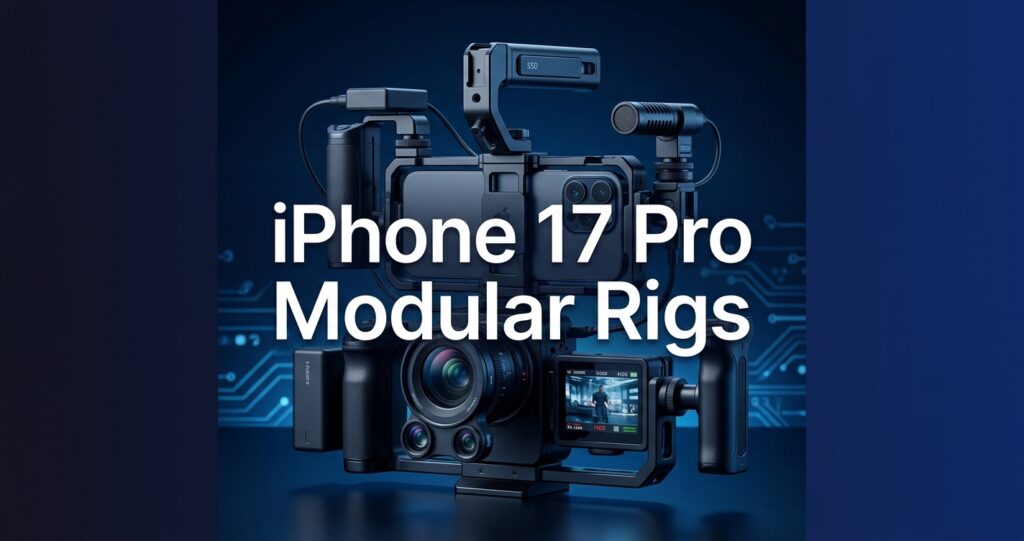
Building a professional modular cinema rig around the iPhone 17 Pro is no longer a workaround for filmmakers on a budget — it is a legitimate production strategy, and the fact that recording 4K ProRes at 120 fps on the iPhone demands an external SSD capable of at least 440 MB/s sustained write speed tells you exactly how serious this workflow has become. This complete 2026 setup guide walks you through every component, decision, and assembly step needed to build an iPhone 17 Pro modular cinema rig that can compete on professional sets.
Table of Contents
Key Takeaways
- The iPhone 17 Pro functions as a genuine modular cinema brain when paired with the right cage, monitor, and SSD workflow — this guide covers every layer of that build.
- SmallRig launched a dedicated Video Cage Kit for the iPhone 17 Pro Series in 2026, making ecosystem compatibility cleaner than any previous iPhone generation.
- External SSD write speed is the most critical spec to verify before purchasing storage — 4K 60 fps ProRes needs 220 MB/s minimum, and 4K 120 fps needs 440 MB/s minimum.
- External monitor-recorders like the Atomos Ninja series can record up to 8K UHD/DCI at 30 fps from compatible inputs, extending your iPhone rig’s delivery ceiling significantly.
- NAB 2026 validated the pro mobile cinema trend at scale, with enterprise media teams arriving in record numbers and major accessory brands presenting iPhone-specific solutions.
- Audio, power budgeting, and rail systems are the three most commonly underplanned parts of an iPhone 17 Pro modular cinema rig — all three are covered in detail below.
- Learning the underlying craft matters as much as the hardware — pairing your physical rig with structured training through courses like The Advanced Filmmaking Level 2 will make the difference between owning a rig and knowing how to use one.
What Makes the iPhone 17 Pro a Modular Cinema Brain
The term “cinema brain” refers to the recording and processing core of a cinema camera system — the part that captures, encodes, and manages image data. The iPhone 17 Pro qualifies because it runs Apple ProRes natively, supports external SSD recording via USB-C, and outputs a clean HDMI-compatible signal through certified adapters.
Unlike previous mobile camera systems, the iPhone 17 Pro treats external storage not as a bonus feature but as a first-class recording destination. That distinction changes how you design a modular rig around it.
The camera system on the iPhone 17 Pro includes a multi-lens array with computational control over each lens, meaning your rig can switch between focal lengths without swapping glass. This is a capability that many dedicated cinema cameras at similar price points cannot match.
Treating the iPhone 17 Pro as a modular cinema brain also means accepting its limitations honestly. The sensor is physically smaller than a Super 35 or full-frame chip, and thermal management under sustained 4K ProRes recording requires attention when building an enclosed cage. We cover both the advantages and the engineering considerations throughout this guide.
The SmallRig Ecosystem 2026: Building Your Cage and Rail System for iPhone 17 Pro Modular Cinema Rigs
SmallRig is the most complete hardware ecosystem available for iPhone 17 Pro modular cinema rigs in 2026. Their dedicated Video Cage Kit for the iPhone 17 Pro Series was designed specifically for this device and launched alongside Apple’s release window, meaning mounting points, port cutouts, and MagSafe compatibility were engineered for the exact body geometry of the iPhone 17 Pro.
The SmallRig cage for the iPhone 17 Pro features a cold shoe mount on top, 1/4-inch and 3/8-inch threaded holes on multiple faces, and NATO rail compatibility on the left side. This gives you a structured mounting platform for monitors, microphones, handles, and follow-focus systems without resorting to improvised solutions.
SmallRig Rail Systems and Handles
A 15mm LWS (Lightweight System) rod setup pairs naturally with the SmallRig iPhone cage. Two 15mm carbon fiber rods of 200mm to 300mm length give you enough forward extension to mount an SSD enclosure or a small monitor arm without making the rig front-heavy.
SmallRig’s NATO handles and their side handle with built-in cold shoe allow you to maintain a firm two-handed grip while keeping a thumb available for the record button or a connected Bluetooth remote. For run-and-gun documentary work, this configuration is significantly more stable than a bare phone in a gimbal.
SmallRig Follow Focus and Lens Control
For narrative work where you want manual lens control, SmallRig’s mini follow focus units mount onto the 15mm rods and pair with their lens gear rings. While the iPhone 17 Pro’s lenses are not interchangeable, focus pulling via the on-screen interface can be mechanically assisted using SmallRig’s wireless follow focus transmitter and receiver system connected to a smooth-touch capacitive lens ring adapter.
The SmallRig ecosystem also integrates with most third-party lens adapters, allowing you to mount anamorphic front elements from brands like Moment and Sirui directly onto the iPhone 17 Pro cage using their lens mount adapter plates.
External Monitor Integration for iPhone 17 Pro Cinema Rigs: The Complete 2026 Setup Guide Approach
An external monitor is one of the most impactful additions to an iPhone 17 Pro modular cinema rig. The iPhone screen, while excellent, is too small for accurate focus pulling and too reflective for outdoor use without a loupe. A dedicated monitor solves both problems while adding waveform, histogram, and false color tools that the native Camera app does not provide.
Connecting an External Monitor to the iPhone 17 Pro
The iPhone 17 Pro uses USB-C with DisplayPort Alt Mode support. A USB-C to HDMI or USB-C to SDI adapter (where supported) allows you to output a live signal to any broadcast-grade monitor. We recommend using certified Apple adapters or MFi-certified third-party cables to avoid signal interruptions during recording.
When using an app like Blackmagic Camera or Filmic Pro on the iPhone 17 Pro, the external monitor output carries the full UI including zebra stripes and focus peaking overlays. This makes the monitoring experience far more usable for a dedicated camera operator or focus puller standing away from the director’s position.
Atomos Ninja Series as a Monitor-Recorder
The Atomos Ninja series represents the most capable monitor-recorder pairing for an iPhone 17 Pro modular cinema rig in 2026. The Ninja can record at up to 60 fps at 4K UHD/DCI and, on higher-tier configurations, up to 30 fps at 8K UHD/DCI, which gives your iPhone rig a delivery ceiling that far exceeds what the phone alone can write to internal storage.
The Atomos Ninja Phone variant is designed specifically for smartphone workflows. Its USB-C 5V 3A output charges the connected phone while simultaneously recording, meaning a long production day does not require pausing to recharge the iPhone 17 Pro body.
Mounting the Atomos Ninja to your SmallRig cage is straightforward using a monitor arm with a cold shoe to 1/4-inch adapter. Position the monitor arm off the cage’s top cheese plate so the Ninja sits at eye level without blocking the iPhone’s lens array.
Alternative Monitor Options
If budget is a constraint, the Portkeys BM5 III and the FeelWorld LUT7S are strong alternatives. Both support waveform and vectorscope tools, and both mount cleanly onto SmallRig arms. Neither records, but for productions where the iPhone 17 Pro’s internal ProRes files are sufficient, a monitoring-only solution reduces weight and complexity.
SSD Recording for 8K ProRes Workflows on the iPhone 17 Pro Modular Cinema Rig
SSD recording is the enabling technology that makes the iPhone 17 Pro modular cinema rig viable for professional delivery. Apple ProRes is a high-bitrate, post-production-friendly codec. Recording it to an external SSD rather than internal storage removes the storage capacity ceiling and, more importantly, the thermal ceiling that would otherwise force the phone to stop recording mid-take.
Understanding the Write Speed Requirements
Apple’s official guidance for ProRes recording on iPhone is specific and non-negotiable. For 4K at 60 fps ProRes, the minimum sustained write speed is 220 MB/s. For 4K at 120 fps ProRes, that minimum jumps to 440 MB/s. Any SSD that cannot sustain those write speeds will cause the iPhone to drop frames or terminate recording.
The word “sustained” is critical here. Marketing specs often list peak transfer rates, which can be significantly higher than what a drive delivers after the first few seconds. Always look for independently tested sustained write speeds, not manufacturer peak numbers.
Recommended SSD Options for iPhone 17 Pro ProRes Recording
The SanDisk Creator Phone SSD is a purpose-built option for this workflow. Its USB 3.2 Gen 2 interface and tested read/write rates of up to 950 MB/s clear the 440 MB/s threshold comfortably, and its MagSafe-compatible form factor allows it to attach directly to the back of the iPhone 17 Pro when shooting in a cage with a rear access window.
The Samsung T9 and Western Digital My Passport SSD (2026 model) are also well-tested options. Both exceed 1000 MB/s peak with sustained writes consistently above 700 MB/s in independent testing. Mount either drive to your SmallRig cage using a universal SSD mounting plate with a 1/4-inch bottom thread.
Mounting Your SSD on the Rig
For physical security, we recommend mounting the SSD on the rail system rather than relying solely on the USB-C connection. A cable clamp on the rail, combined with a short and reinforced USB-C cable no longer than 20cm, prevents the port from taking mechanical stress during handheld operation. SmallRig makes a specific SSD mounting bracket compatible with their 15mm rod system.
Power Management and Cable Solutions for Your iPhone 17 Pro Modular Cinema Rig
Power management is consistently the most underestimated part of building a modular cinema rig. When you add an external monitor, an SSD, a wireless microphone receiver, and a follow focus system to your iPhone 17 Pro setup, you are drawing power from multiple sources simultaneously.
Powering the iPhone 17 Pro on a Rig
The safest approach is to power the iPhone 17 Pro from the external monitor-recorder’s USB-C output (if your monitor supports passthrough charging, as the Atomos Ninja Phone does at 5V 3A) while keeping an independent V-mount or Gold Mount battery supplying the monitor itself.
A 98Wh V-mount battery driving a Atomos Ninja via D-Tap to DC barrel, which then charges the iPhone 17 Pro via USB-C, gives you approximately four to five hours of continuous 4K ProRes recording capacity. This setup also eliminates the need for a separate USB power bank attached to the rig.
Cable Management on a Modular Rig
Use short, right-angle USB-C cables where the SSD connects to the iPhone 17 Pro. Right-angle connectors reduce the bending radius stress on both the cable and the iPhone port. Route cables through SmallRig’s integrated cable management clips along the rod system and secure any excess length with hook-and-loop strips rather than tape.
If you are using the cage’s MagSafe access window, the MagSafe to USB-C charging cable from Apple is the most reliable option for maintaining a charging connection under vibration. Generic cables can lose contact during gimbal movements or walking shots.
Audio Integration for Pro Mobile Cinema Setups with iPhone 17 Pro
The iPhone 17 Pro modular cinema rig is not complete without a professional audio solution. The built-in microphones on the iPhone are adequate for reference audio but not for primary production sound on any project intended for broadcast or festival exhibition.
Wireless Microphone Systems
The DJI Mic 2 and Rode Wireless Pro both connect to the iPhone 17 Pro via USB-C without a separate adapter. Both systems deliver 32-bit float recording on the transmitter, which means you record a safety track at the transmitter level regardless of what gain setting you have on the iPhone.
Mount the receiver on the cold shoe at the top of the SmallRig cage. Both the DJI Mic 2 receiver and the Rode Wireless Pro receiver are compact enough to sit on the top cheese plate without blocking the Atomos Ninja arm positioned to the side or rear.
XLR Audio via a Compact Preamp
For productions that require traditional XLR inputs (boom operators with wired shotgun mics, for example), the Zoom F2-BT or the Sennheiser MKE 600 paired with a USB-C audio interface from IK Multimedia covers that workflow cleanly. Mount the interface on the rail using a NATO adapter clamp and connect via a short right-angle USB-C cable to the iPhone 17 Pro’s port.
If you are using the USB-C port for SSD recording and need audio simultaneously, you will require a USB-C hub with simultaneous data and audio passthrough. Not all hubs support this correctly, so confirm compatibility with your specific SSD and audio interface combination before shooting.
NAB 2026: What the Show Revealed for iPhone 17 Pro Cinema Rigs
NAB 2026 was the most significant trade show for mobile cinema workflows in recent memory. The show reached 1,100 exhibitors, and among the most notable trends was the volume of dedicated iPhone accessory solutions presented by major brands, many of them designed specifically for the iPhone 17 Pro.
SmallRig, Atomos, Rode, and DJI all maintained floor presence at NAB 2026 and demonstrated iPhone 17 Pro-specific products. The conversations on the show floor consistently framed the iPhone 17 Pro not as a camera phone but as a modular cinema system core, which aligns directly with the approach this guide takes.
For filmmakers who want to deepen their understanding of the craft principles behind these tools, structured learning through programs like Becoming an Auteur Level 3 gives you the directorial and technical foundation to use a professional rig with real intention rather than guesswork.
Key NAB 2026 Announcements Relevant to iPhone Cinema Rigs
Beyond SmallRig’s cage kit, NAB 2026 saw Atomos demonstrate expanded iPhone 17 Pro compatibility in their Ninja Phone firmware, with improved color science for the Apple Log profile captured on the iPhone 17 Pro. This means the Atomos Ninja can now display calibrated Apple Log curves in its on-screen LUT engine, giving your iPhone 17 Pro rig a proper color management pipeline on set.
Rode also announced updated firmware for the Wireless Pro system at NAB 2026 that adds scene-based gain memory — so your iPhone rig automatically adjusts audio gain profiles when you switch between interior and exterior shooting locations. This is a genuinely useful on-set feature for single-operator documentary rigs.
This infographic highlights the five essential components of an iPhone 17 Pro modular cinema rig. It helps creators quickly plan and assemble a complete setup for 2026 shoots.
Step-by-Step: Assembling Your Complete iPhone 17 Pro Modular Cinema Rig
Follow this sequence when building your iPhone 17 Pro modular cinema rig for the first time. Assembling in the correct order prevents you from having to dismantle sections to route cables or adjust balance.
- Start with the cage body. Slide the iPhone 17 Pro into the SmallRig Video Cage Kit and tighten the locking mechanism. Confirm that all port cutouts align correctly, especially the USB-C port, MagSafe window, and all three lens positions.
- Attach the baseplate and rods. Thread two 15mm rods through the SmallRig baseplate and lock them with the rod clamp. Set rod length based on whether you are mounting an SSD enclosure, a follow focus unit, or both in front of the camera position.
- Mount the SSD. Attach the SSD mounting bracket to the rods and slide your SSD into the bracket. Connect the USB-C cable from the SSD to the iPhone 17 Pro’s port. Use a cable clamp on the rod to prevent the cable from pulling on the port.
- Mount the external monitor arm. Attach a monitor arm to the top cheese plate or side NATO rail of the cage. Position the Atomos Ninja (or your chosen monitor) at a comfortable viewing angle. Connect via USB-C to HDMI adapter or directly via USB-C depending on your monitor’s input.
- Connect power. If using a V-mount battery on a shoulder plate or battery bracket, run the D-Tap to DC cable to the Atomos Ninja. Connect the Ninja’s USB-C output to the iPhone 17 Pro for passthrough charging.
- Mount audio hardware. Attach the wireless microphone receiver to the top cold shoe. Connect the receiver to the iPhone 17 Pro via USB-C. If your USB-C port is occupied by the SSD, use a certified USB-C hub positioned on the cage rail.
- Balance and check. Hold the rig in your shooting position and check for front-heavy or side-heavy imbalance. Adjust rod length and battery position as needed. Confirm the SSD is recording by triggering a 10-second ProRes test clip and verifying the file on the drive.
Testing Your Rig Before a Shoot
Run a full pre-shoot test at least 24 hours before any paid production. Record a sustained 10-minute ProRes clip at your target frame rate, review the file for dropped frames, check thermal behavior of the iPhone body inside the cage, and confirm all audio channels are recording correctly.
If you are new to modular cinema workflows and want a structured framework for operating your iPhone 17 Pro rig across different genres, the Basics Level 1 course builds the foundational skills that make every hardware decision more intentional. Alternatively, the complete Filmmaker Bundle covers the full progression from fundamentals through advanced cinematic techniques.
Common Problems and Quick Fixes
- iPhone stops recording after a few minutes: Usually a thermal issue. Remove the cage’s rubber gaskets around the rear panel to increase airflow, or use a small fan attachment during studio setups.
- SSD not recognized by iPhone: Check that your SSD enclosure is formatted as exFAT or APFS. NTFS is not natively supported without a third-party app on iOS.
- Monitor showing a frozen frame: Power cycle the adapter and monitor. This is most often an HDMI handshake issue that resolves with a fresh connection sequence.
- Audio recording at very low levels: Confirm that your wireless receiver is paired to the transmitter and that gain on the receiver is set above zero. Some receivers default to minimum gain after a firmware update.
Conclusion
The iPhone 17 Pro modular cinema rig setup guide you have read here is designed to give filmmakers a clear, component-by-component path to building a professional mobile production system in 2026. From the SmallRig ecosystem’s cage and rail infrastructure to external monitor integration via the Atomos Ninja series, SSD recording for 8K ProRes workflows, and NAB 2026’s validation of the pro mobile cinema movement, every element of a legitimate iPhone 17 Pro modular cinema rig is now available off the shelf and designed to work together.
The hardware alone does not make a film. Pair your iPhone 17 Pro modular cinema rig with the craft knowledge from The Advanced Filmmaking course, and you will use every component in this guide with the technical and creative confidence it deserves. The complete 2026 setup guide approach we have laid out here is your starting point — the results depend on what you put in front of the lens.
Frequently Asked Questions
Is the iPhone 17 Pro good enough for professional film production in 2026?
Yes, the iPhone 17 Pro is a legitimate professional production tool in 2026 when used with a proper modular cinema rig. It records Apple ProRes to external SSDs, outputs a clean signal to professional monitors, and supports a full accessory ecosystem through brands like SmallRig and Atomos. For documentary, commercial, and short-form narrative work, it delivers results that hold up in broadcast and festival contexts.
What is the best cage for an iPhone 17 Pro cinema rig in 2026?
The SmallRig Video Cage Kit for the iPhone 17 Pro Series is the best purpose-built option in 2026 because it was designed specifically for the iPhone 17 Pro body with correct port alignment and MagSafe compatibility. It integrates with SmallRig’s full rod, handle, and accessory ecosystem, which simplifies adding monitors, SSDs, and audio hardware to your rig.
What SSD do I need to record 4K ProRes on an iPhone 17 Pro?
For 4K ProRes at 60 fps, your SSD needs a minimum sustained write speed of 220 MB/s. For 4K ProRes at 120 fps, that requirement doubles to a minimum of 440 MB/s. Drives like the SanDisk Creator Phone SSD and Samsung T9 comfortably exceed these thresholds and are reliable choices for an iPhone 17 Pro cinema rig.
Can an iPhone 17 Pro modular cinema rig record 8K video in 2026?
The iPhone 17 Pro’s native recording ceiling and the Atomos Ninja series monitor-recorder (which supports up to 8K UHD/DCI at 30 fps on higher-tier configurations) together create a pathway toward 8K-ceiling deliverables from a mobile iPhone rig. The specific output resolution depends on the app, adapter, and Ninja model in your setup. Always verify your complete signal chain before committing to an 8K deliverable on a paid project.
How do I power an iPhone 17 Pro cinema rig for a full day of shooting?
The most practical approach is to power a monitor-recorder like the Atomos Ninja Phone from a V-mount battery via D-Tap, and use the Ninja’s USB-C 5V 3A passthrough output to continuously charge the iPhone 17 Pro. A 98Wh V-mount battery in this configuration provides four to five hours of sustained ProRes recording before needing a battery swap.
What did NAB 2026 show us about iPhone cinema rig accessories?
NAB 2026 confirmed that major accessory brands are fully committed to iPhone 17 Pro cinema workflows. SmallRig, Atomos, Rode, and DJI all presented iPhone 17 Pro-specific hardware and firmware updates at the show, and the record attendance of enterprise media professionals indicated that iPhone-based modular rigs are entering mainstream commercial and broadcast production pipelines.
Do I need filmmaking training to use an iPhone 17 Pro modular cinema rig effectively?
The hardware is only as useful as the operator’s understanding of light, composition, exposure, and storytelling. A modular cinema rig gives you the tools, but structured filmmaking education through a program like the Cinemastery course library builds the craft knowledge that determines whether those tools produce professional results. We strongly recommend combining your rig investment with deliberate skill development.